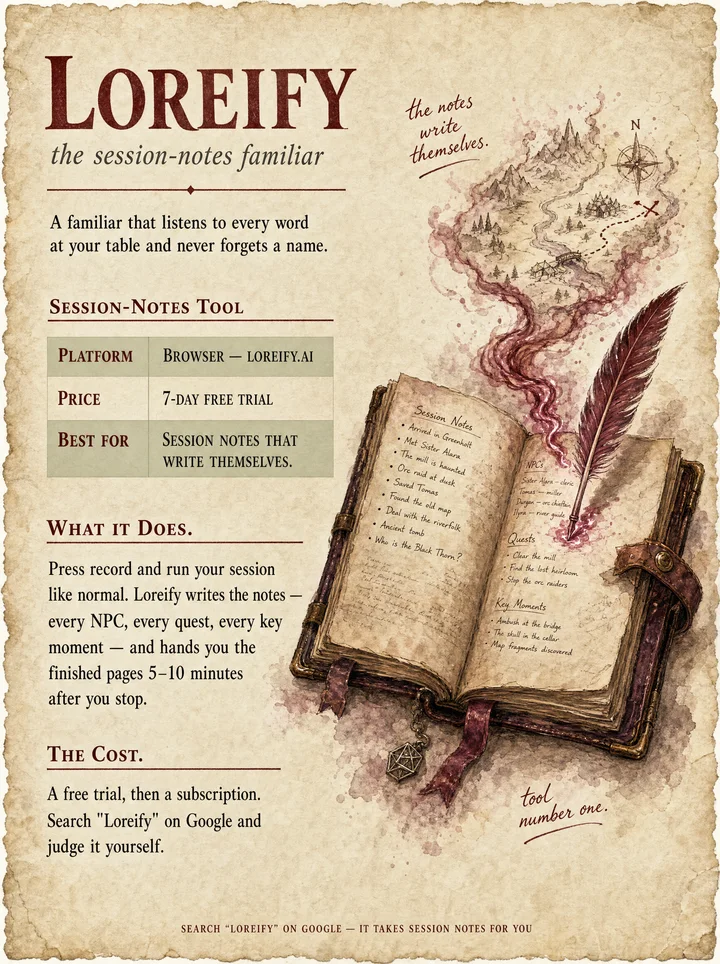
From a content brief to an inbox draft. From scattered records to a useful weekly update. I connect the steps, define the rules, and make the result easier to review.
My work
Workflow design, AI instructions, integrations, testing, and handoff.
The approach
Automate the repeatable steps. Keep judgment and approvals where they matter.
01 / Content production
A repeatable content system for Loreify.
Research, writing, image generation, review, and draft delivery belong to one workflow. I built the instructions and repeatable process around that work, with reusable formats and a record of what happened at each step.
Built workflow · Saved outputs & handoff records
01
Research & briefChoose the topic, source the material, and define what the content must deliver.
02
Create & reviewGenerate the assets, check the copy and layout, and keep the final files in order.
03
Hand off & trackSend approved TikTok inbox drafts and keep handoff separate from public posting.
The content repository contains production instructions, image collectors, and delivery manifests. A September 14 manifest records provider-confirmed inbox handoffs. Human review and publication remain separate steps.
Actual saved work: cover and inner page from “4 D&D tools so good they feel like cheating.” These show the output, not a claim about conversion results.
AI image tools · Production instructions · Drive · Postiz
02 / Everyday workflows
Small tasks. Real moving parts.
Personal systems for research, communication, and record keeping. Some combine AI review with scripts; others run as scheduled assistant tasks.
Research & delivery
A reading digest that updates my calendar
A Sunday email brings seven manga series into one reading list, with direct links and the same information in my calendar.
1Check sources
2Build the digest
3Email + calendar
Delivered examples recorded
How it works & what’s verified
The workflow keeps reading progress separate from new releases, avoids spoilers, and checks for an existing send before sending again. Missing release information is left unconfirmed instead of guessed.
The delivery ledger records verified emails and calendar updates for October 25 and November 1, 2026.
Scheduled AI task · Gmail · Google Calendar
Personal operations
Inbox cleanup with rules for what stays
Unwanted promotions are filtered while receipts, security alerts, purchases, and personal conversations stay protected.
1Review new mail
2Apply sender decisions
3Verify the changes
Cleanup verified · recurring task configured
How it works & what’s verified
The setup combines narrow mailbox rules with an AI-assisted review task. Uncertain mail stays untouched. Recoverable moves, saved sender decisions, and an action record make it possible to check what changed.
The October 23 cleanup record documents saved filters, confirmed unsubscribes, and verified mailbox moves. A weekly task is configured; that is not a guarantee that every future run succeeds.
Gmail · Yahoo Mail · Scheduled review
Records & reconciliation
Bookkeeping that keeps the source trail
Bank records, receipt matching, and a bookkeeping workbook come together in a repeatable review process.
1Refresh transactions
2Match receipts
3Update the workbook
Workflow built · Monday refresh configured
How it works & what’s verified
Transaction IDs help prevent double counting. The workflow preserves manual corrections and keeps transfers, refunds, and uncertain items separate. Workbook checks and a dated review record are part of the process.
Refresh scripts, workbook review files, and the weekly instructions are saved. The recurring task was configured November 8, 2026; a successful scheduled Monday run is not claimed here.
Bank connections · Receipt mailboxes · Excel workbook
Communication operations
Reply monitoring without losing the thread
Existing outreach conversations are checked for human replies, delivery failures, and opt-outs, with a recap of what needs attention.
1Check existing threads
2Classify changes
3Prepare the recap
Monitoring configured
How it works & what’s verified
A record of previous notifications prevents repeat alerts. Sending and delivery are tracked separately, and replies stay subject to approval. New bulk outreach is stopped.
The saved Loreify monitor, sending record, and notification ledger document the workflow. This example describes monitoring, not a new sending campaign.
Gmail · Yahoo Mail · Scheduled AI task
Asset handling
A backup for finished carousel files
A file collector checks for carousel images and brings available assets into the content workflow.
1Check the source
2Collect image files
3Record the result
Built · drive availability required
How it works & what’s verified
The repository contains a Windows collector and a Google Apps Script version. The Windows job writes a log so a run that finds nothing can be distinguished from one that downloaded files.
Recent November 8 Windows logs show skipped runs because the expected Drive folder was not mounted. The collector is built; uninterrupted delivery is not claimed.
PowerShell · Google Apps Script · Google Drive
03 / Client operations
Scheduling and communication workflows
For a private client, I built workflows for calendar scheduling and text reminders, meeting-email preparation and approval, and approved recording uploads. The work includes review steps, delivery records, and checks to prevent duplicate actions.
Scheduling and reminder delivery have been verified. Meeting-email delivery and recording uploads have passed controlled tests. The wider recording workflow is still in progress.
04 / How I build
Useful beyond the first run.
Start with the actual task and the information it needs.
Define what can run automatically and what needs a person.
Keep a record so retries do not repeat completed actions.
Check the result and make failures visible.
Have a workflow that keeps landing back on your desk?
Let’s work through the steps and see what can be made repeatable.